


English
AeroWave D4 Manual
MODEL NAME
-
VSF-AWD4
-
VSF-AWD4×2
-
VSF-AWD4W
-
VSF-AWD4W×2
PRODUCT CONTENTS
| Image | Name | Box Number |
|---|---|---|
|
Fan |
1 pc |
|
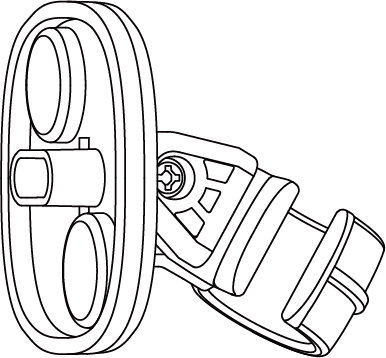
Magnetic Hook |
1 pc |
|
lron Plate |
1 pc |
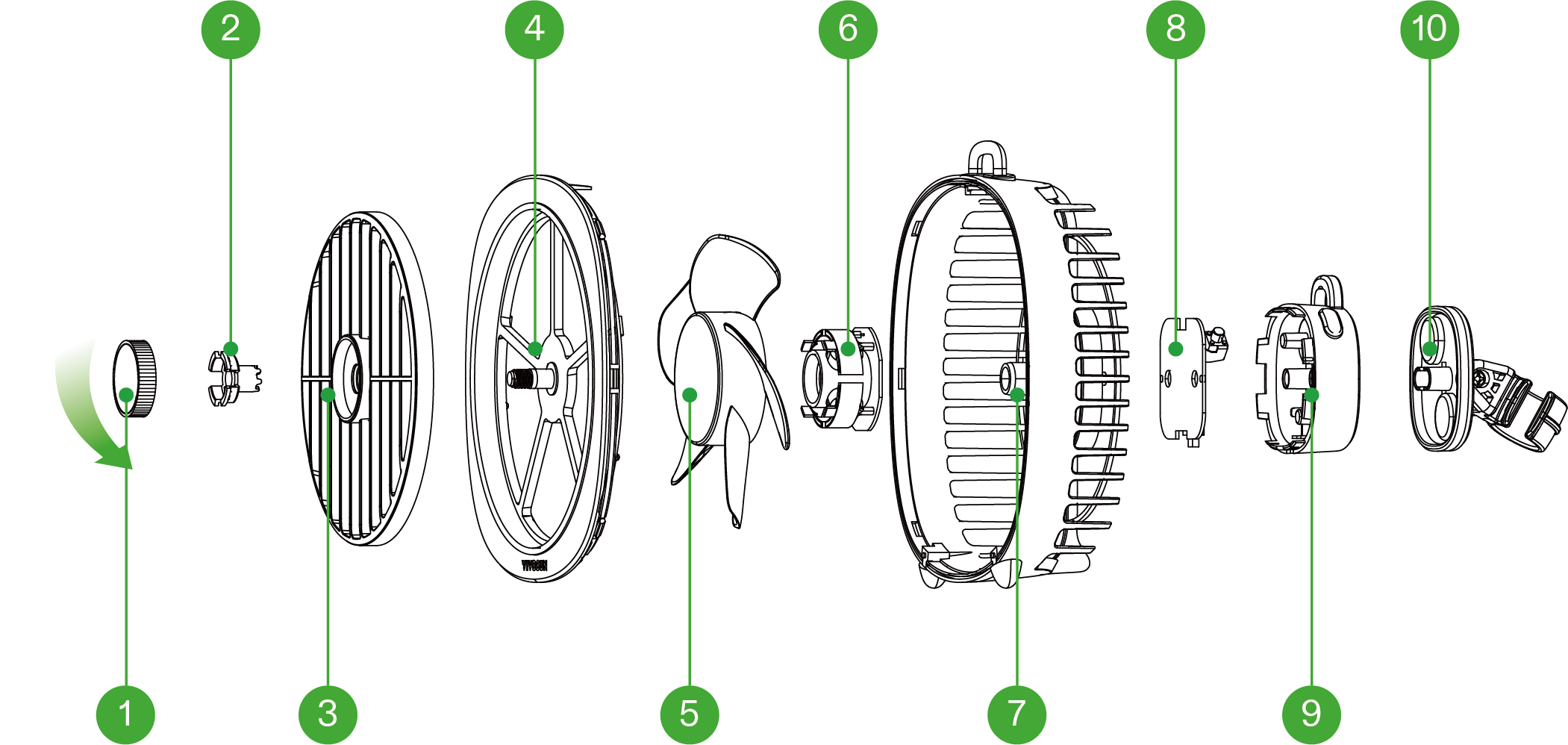
PRODUCT ANATOMY
① |
Adjustment Knob |
② |
Tension Cap |
③ |
Rotating Air Cover |
④ |
Front Cover |
⑤ |
Fan Blade |
⑥ |
Motor |
⑦ |
Fan Body |
⑧ |
PCBA |
⑨ |
Rear Cover |
⑩ |
Hook |
SPECIFICATIONS
Product Name |
AeroWave D4 |
Product Model |
VSF-AWD4 / VSF-AWD4W |
Input Voltage/Current |
5V |
Rated Power |
4W |
Material |
ABS+PP |
Size |
25*57*135mm / 4.9*2.2*5.3 in. |
Airflow Capacity |
85 Cubic Feet Per Minute |
Noise |
<35 dB(A) |
Fan Speed (Max) |
3500 RPM |
Rated Lifespan |
15000 hrs |

PRODUCT FUNCTIONS
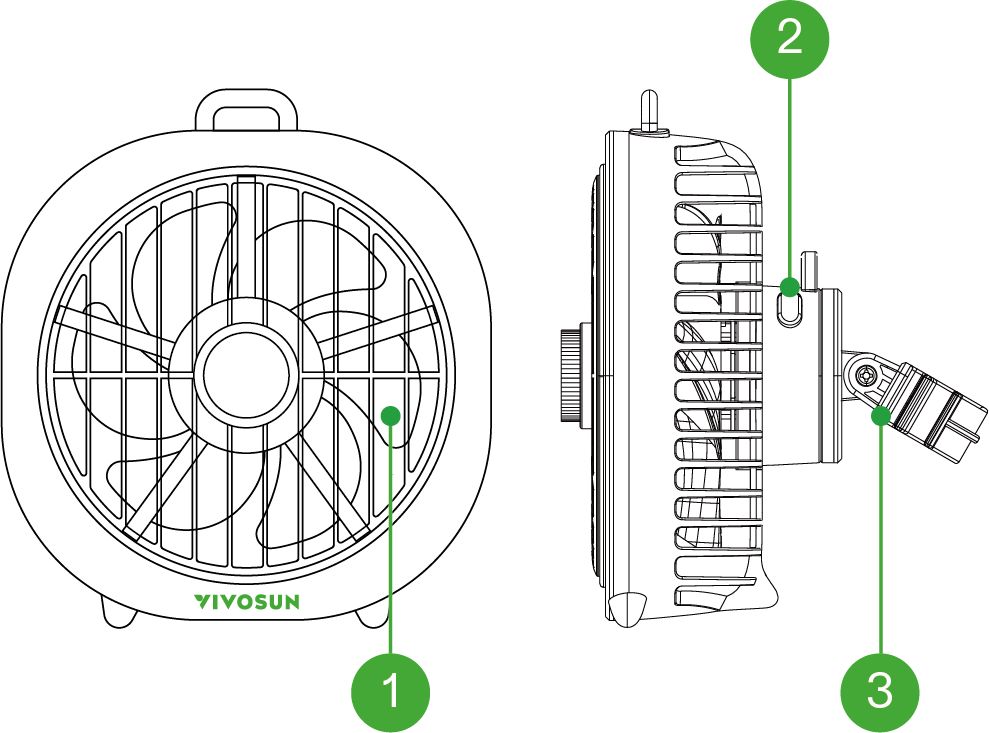
① |
Blade |
② |
Power Button |
③ |
Hook |
THREE-SPEED CONTROL
To operate, plug in the power supply and press the power button to activate the low-speed gear. Press the button again to switch to the medium-speed gear. Press the button once more to switch to the third gear. Finally, press the power button again to turn it off.
MEMORY FUNCTION
This clip-on fan features a memory function. When you turn the fan off, it will automatically memorize the last fan speed and gear setting you selected. Once you turn the fan on again, it will resume operation at these settings.
ROTARY KNOB
Stop the rotation of the fan mask by turning the knob to the right.
USAGE MODES
1.The hook clasps the pole(16-22mm)
Pull the hook to the main body of the clamp fan, and then attach the product to the pole, Once positioned, plug the power cord into a suitable outlet. Locate the power button on the fan and press it. Finally, adjust the wind speed using the power button.

2. Placed on a flat surface
Place the fan on a flat, stable surface. Once positioned, plug the power cord into a suitable outlet. Locate the power button on the fan and press it. Finally, adjust the wind speed using the power button.

3.Hang
Hang to the desired location using the top hook. Once positioned, plug the power cord into a suitable outlet. Locate the power button on the fan and press it. Finally, adjust the wind speed using the power button.

4.Magnetic
Choose the desired location inside your tent and confirm the fan can be securely clamped. Place the clamp outside the tent fabric and firmly secure the fan in position.Once positioned, plug the power cord into a suitable outlet. Locate the power button on the fan and press it. Finally, adjust the wind speed using the power button.

Warranty
VIVOSUN offers a 2-year limited warranty from the original date of purchase on this product purchased directly from us or our authorized dealers; this warranty and the corresponding expected service life of approximately 8,700–9,000 hours apply when the product is operated under normal and intended conditions, with daily use not exceeding 12 hours.
This warranty is provided in addition to, and does not affect, your statutory rights under applicable consumer protection laws in the country where the product was purchased.
For the full Warranty Policy and to submit a claim, please visit: https://www.vivosun.com/help/warranty-policy
Alternatively, you may contact customer service at support@vivosun.com / +1 888-505-8486.
WARNING
-
Children aged 8 and above, as well as individuals with reduced physical, sensory, or mental capabilities—or those lacking experience and knowledge—may use the appliance if they have received proper supervision or instruction on its safe use and understand the associated risks.
-
Keep out of reach of children.
-
Once assembled, do not remove the guards during cleaning or use.
-
If the supply cord is damaged, it must be replaced by the manufacturer, its service agent, or similarly
-
qualified persons in order to avoid a hazard.
-
Do not put your fingers, pens, or other objects into the front cover while the fan is on.
-
Never touch the plug or outlet if your hands are wet.
-
Use only the provided cable. Avoid any third-party USB cables that are not specifically rated for this device.

DO NOT dispose of this product with regular household waste. Electrical appliances contain hazardous materials that can harm the environment if not properly discarded. Contact your local authorities for information on designated drop-o centers or electronic waste recycling programs in your area.
Contents

We help you grow your best green.

We provide the highest quality.

We relentlessly pursue the future.

We make growing more enjoyable.

We support every grower.
Sign up and get 8% off your first order
©2026 Vivosun All Rights Reserved